CATCHO
RUUZ
See it. Catch it. Keep it.

See the idea. Save it in one click. Find it when you need it.

Collect references from Instagram, Pinterest, Dribbble and Behance into one organized visual library.

7 days free · No credit card required
Live CATCHO visual reference library with folders, image grid and inspector
‹ › UI Design 13 references
Search…
Masonry Filters Share
Dashboard concept - darkdribbble.com
Onboarding flowbehance.net
▶ 0:42
Micro-interactions reelinstagram.com
Pricing page griddribbble.com
Mobile banking cardspinterest.com
Settings panel studybehance.net
Type-led hero sectiondribbble.com
Data table patternspinterest.com
Search & filters UIbehance.net

From idea to library in seconds

01
Find a reference

On Instagram, Pinterest, Dribbble or Behance.

02
Hit the CATCHO button

It appears right next to the material.

03
Pick a folder, add a note

Link, preview and title are saved automatically.

04
It lands in your library

Organized, deduplicated, synced.

05
Find it again later

By search, folder, tag or rating.

Your entire visual base in one place

No more screenshots in downloads, bookmarks in five browsers and links lost in chats.

-Folders, collections and tags
-Notes and rating from 1 to 5
-Search and filters, incl. visual search
-Link to the original, always
-Export of materials and metadata
Reference library
Grid · Filters
GETEC identity saved from Pinterest Morse identity saved from Pinterest OnProfit reference saved from Pinterest Visibil AI reference saved from Pinterest Real item saved from Instagram Fable Five item from the CATCHO library Alternate Fable Five item from the CATCHO library Retrevo reference saved from Pinterest
Inspiration Design Assets Tutorials Color Library Creative Direction
Real workflow

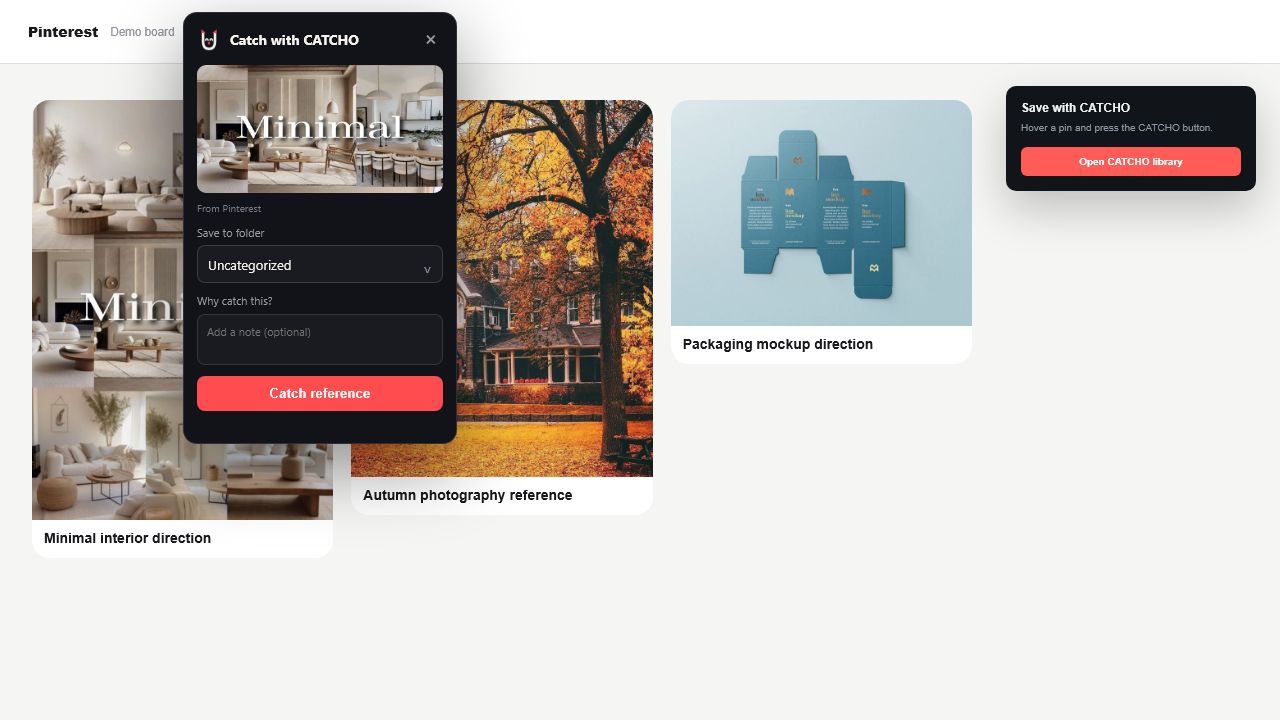
Catch references on the page where you find them

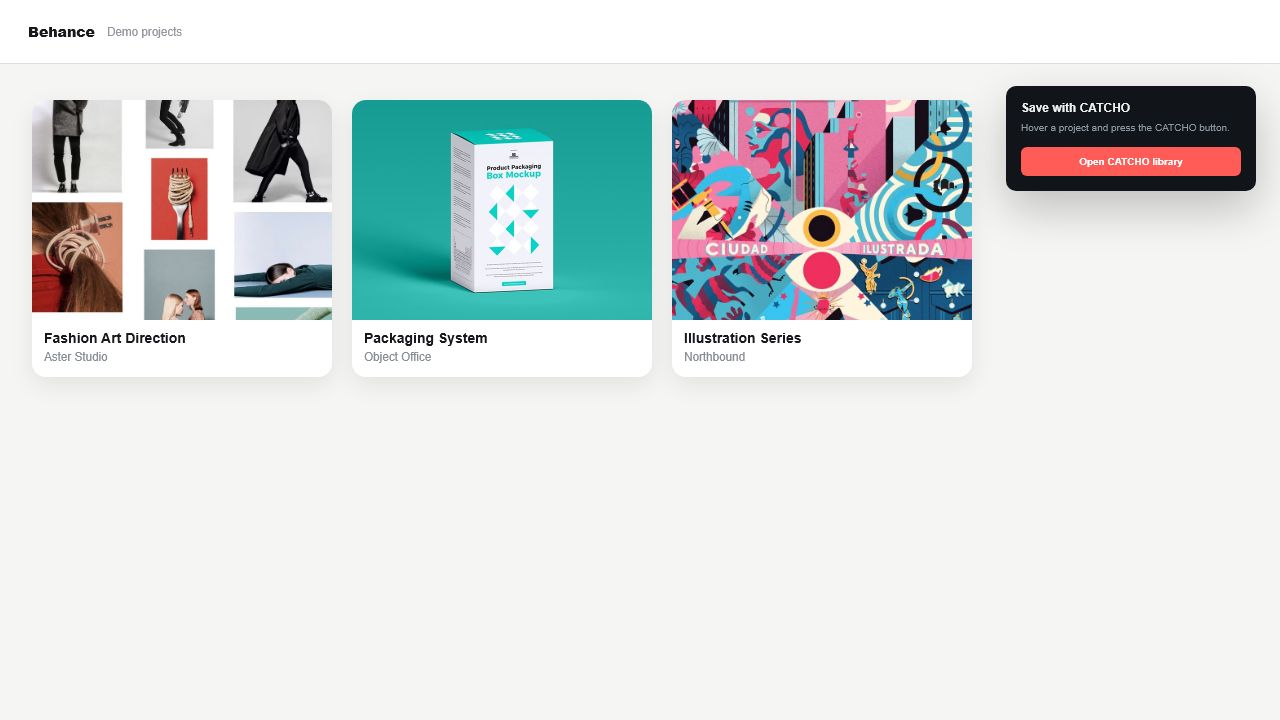
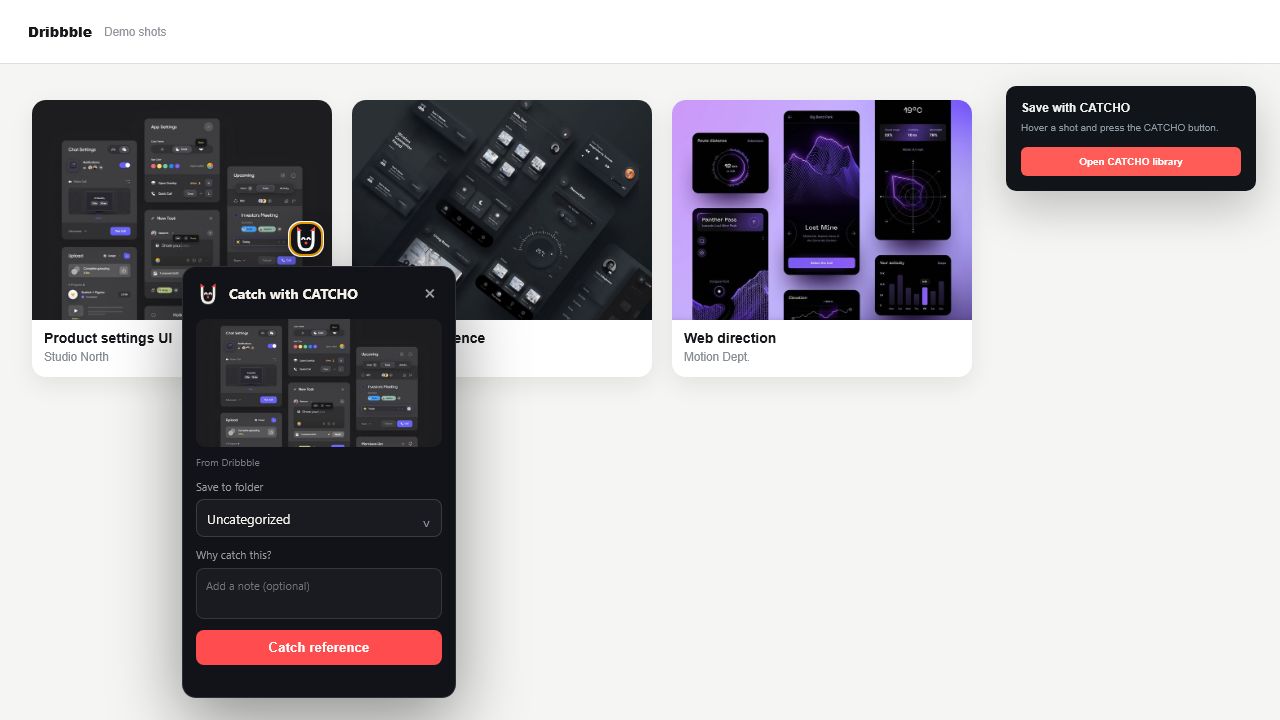
The CATCHO button appears beside a post, pin, shot or project. Preview the item, choose a folder, add a note and save without breaking your flow.
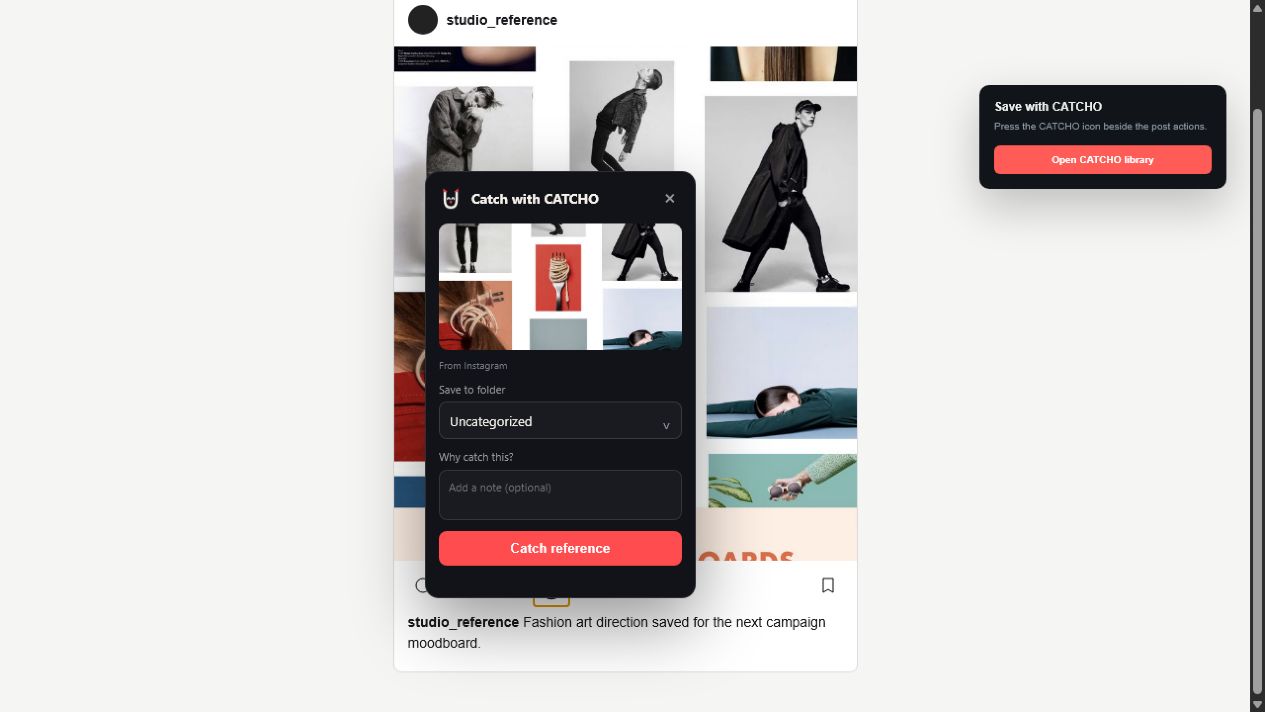
InstagramCATCHO capture flow demonstrated on an Instagram-style local demo page
PinterestCATCHO capture flow demonstrated on a Pinterest-style local demo page
BehanceCATCHO capture flow demonstrated on a Behance-style local demo page
DribbbleCATCHO capture flow demonstrated on a Dribbble-style local demo page
Font library

Test a font with your own copy before design begins

Import TTF or OTF. CATCHO groups styles into families and exposes glyphs, scripts and variable properties. Edit the sample copy, size and background directly in the preview.

SampleGlyphsParagraph Ideas should sound precise52 pxImport TTF / OTF
UNBOUNDED · SEMIBOLD 600 Ideas should
sound precise.
VariableCyrillicLatinTTF
Unbounded · DisplayConcept 01
Manrope · SansConcept 01
Source Serif · SerifConcept 01
Editorial - Q3 moodboardStudio Nadir workspace · 45 items
Link is live
Shared OnProfit reference Shared Morse identity reference Shared Visibil AI reference Shared Instagram item
catcho.app/s/editorial-q3-moodboard

Send a collection as one link

Publish only the folder you choose - for a client or your team, view-only. The rest of your library stays private. Turn the link off any time.

7 days free · No credit card

Stop losing good ideas

Build a personal reference library and capture inspiration the moment it appears. When the trial ends, your library doesn't disappear - everything stays available to view and export.